I’ve seen some people starting to get confused about selecting a “Hosting Provider” when logging in to the Bluesky web or mobile app.
TLDR; the Bluesky apps don’t yet support OAuth login, so you have to say what PDS your account is hosted on, in order to authenticate with the right server.
Sign In Screen
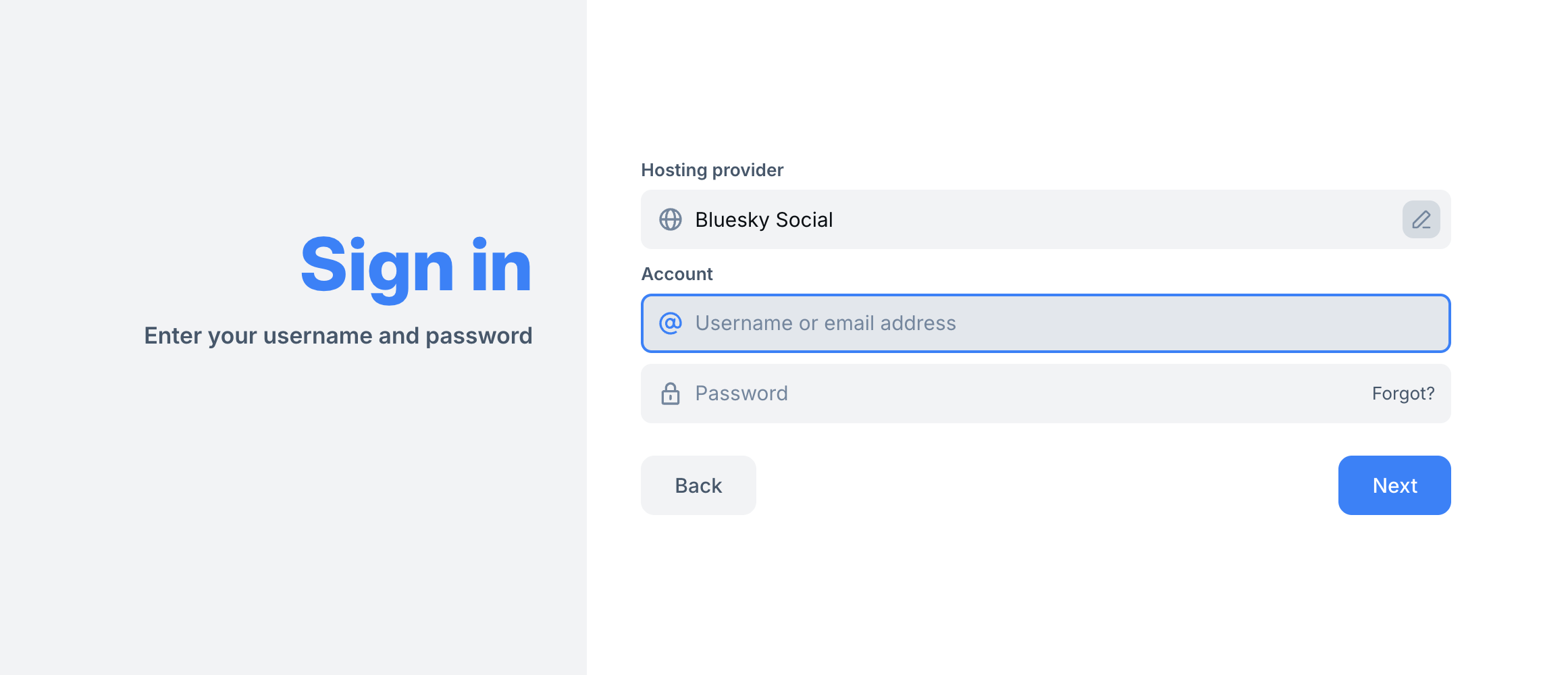
The sign in screen has a Hosting provider label that defaults to Bluesky Social. Click the pencil edit icon.
Choose your account provider
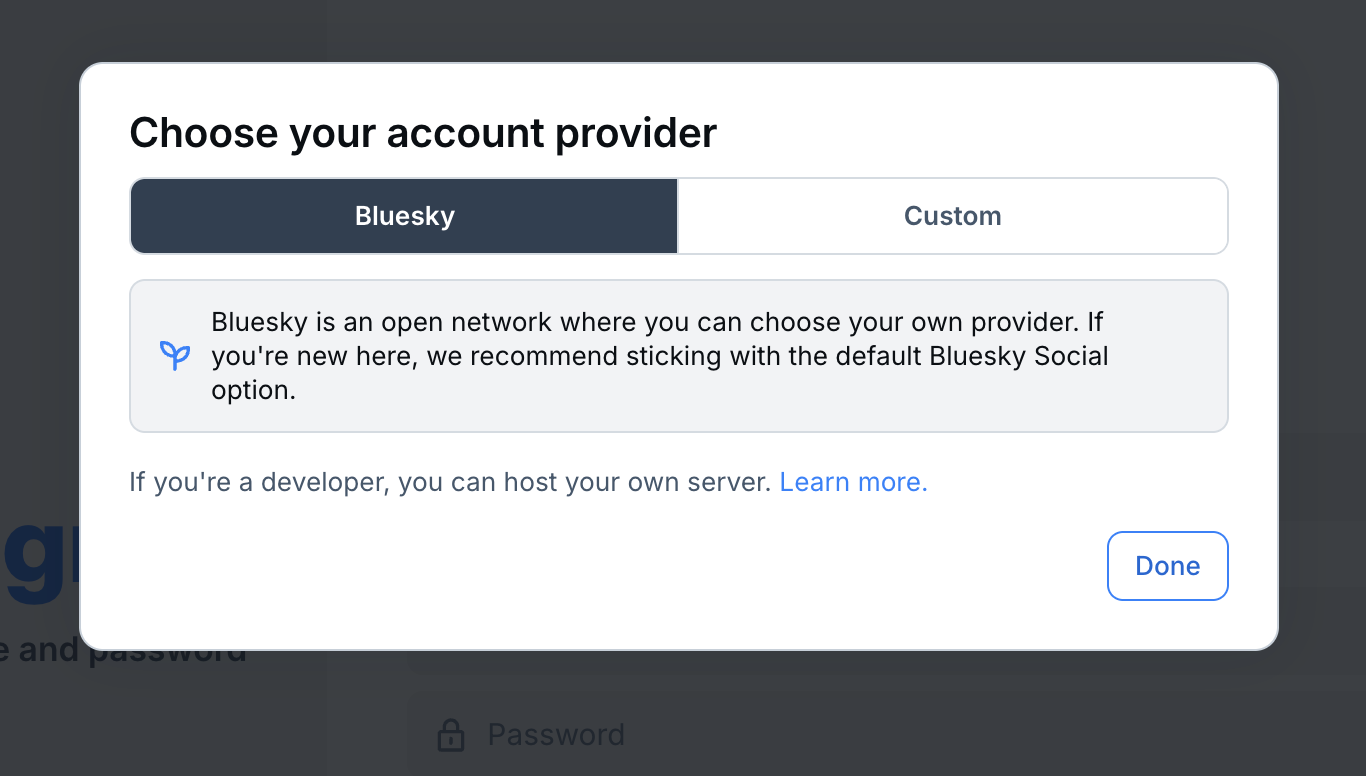
You get a modal dialog titled “Choose your account provider”, defaulted to Bluesky. This is the same screen that is part of Sign Up flow for new account creation.
Clicking on custom lets you enter in the address of where your PDS is hosted, e.g. blacksky.app.
Click done.
Sign in Screen (Custom hosting provider)
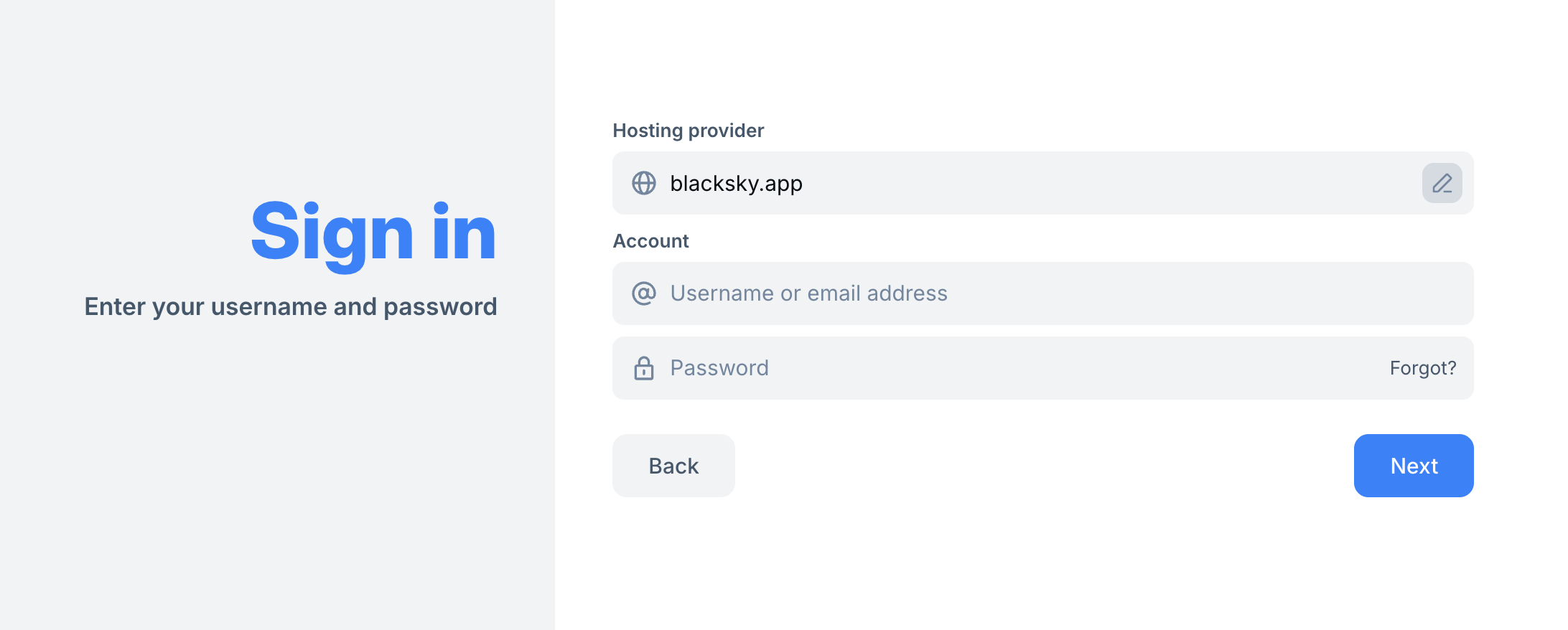
Now your custom hosting provider is filled in, and you can put in your username and password.
What does this do?
You are now logged into the Bluesky app with your hosting provider account. All of the Bluesky settings, default moderation, etc all apply. All of your content - Bluesky microblog posts, likes, blocks, etc - are stored in your account on your PDS.
Note as well that the flow for new account creation is similar: you can use the Bluesky app to create an account on a remote / custom PDS.
See this post for screenshots of that flow:
A link to a longer doc describing the relation of apps, moderation labelers, etc etc would be useful.